
Voice Medic
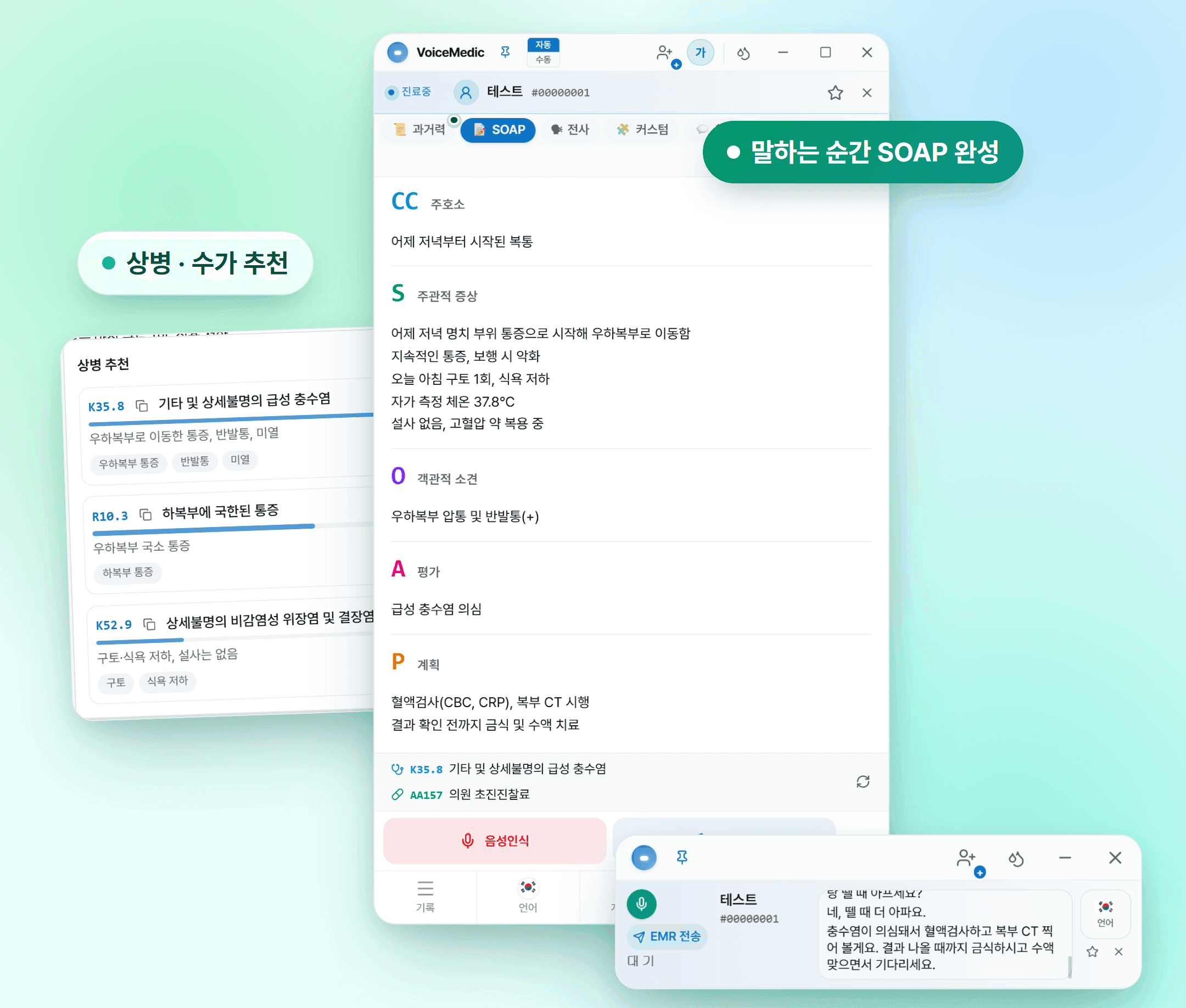
The chart is done the moment you speak.
AI separates and analyzes doctor–patient conversation in real time to complete the SOAP note,
and one shortcut enters it into your existing EMR.
Why Voice Medic?
Beyond the limits of manual EMR entry,
a new experience where the record is done as you speak.
In 5 steps, the chart is done
Set up the connection once,
and it works automatically for every visit.
Connect the Agent
Launch the desktop or web app and connect it to your EMR. A one-time setup keeps it connected.
Select a patient
Reads the chart number of the patient selected in your EMR and loads their info instantly.
See the patient
Talk with the patient as usual. Works with just a PC microphone.
Real-time conversion
Separates doctor and patient speech and builds the SOAP structure in real time.
Chart complete
One shortcut pastes the finished SOAP note into your EMR. Edit right away if needed.
Designed especially for the clinic
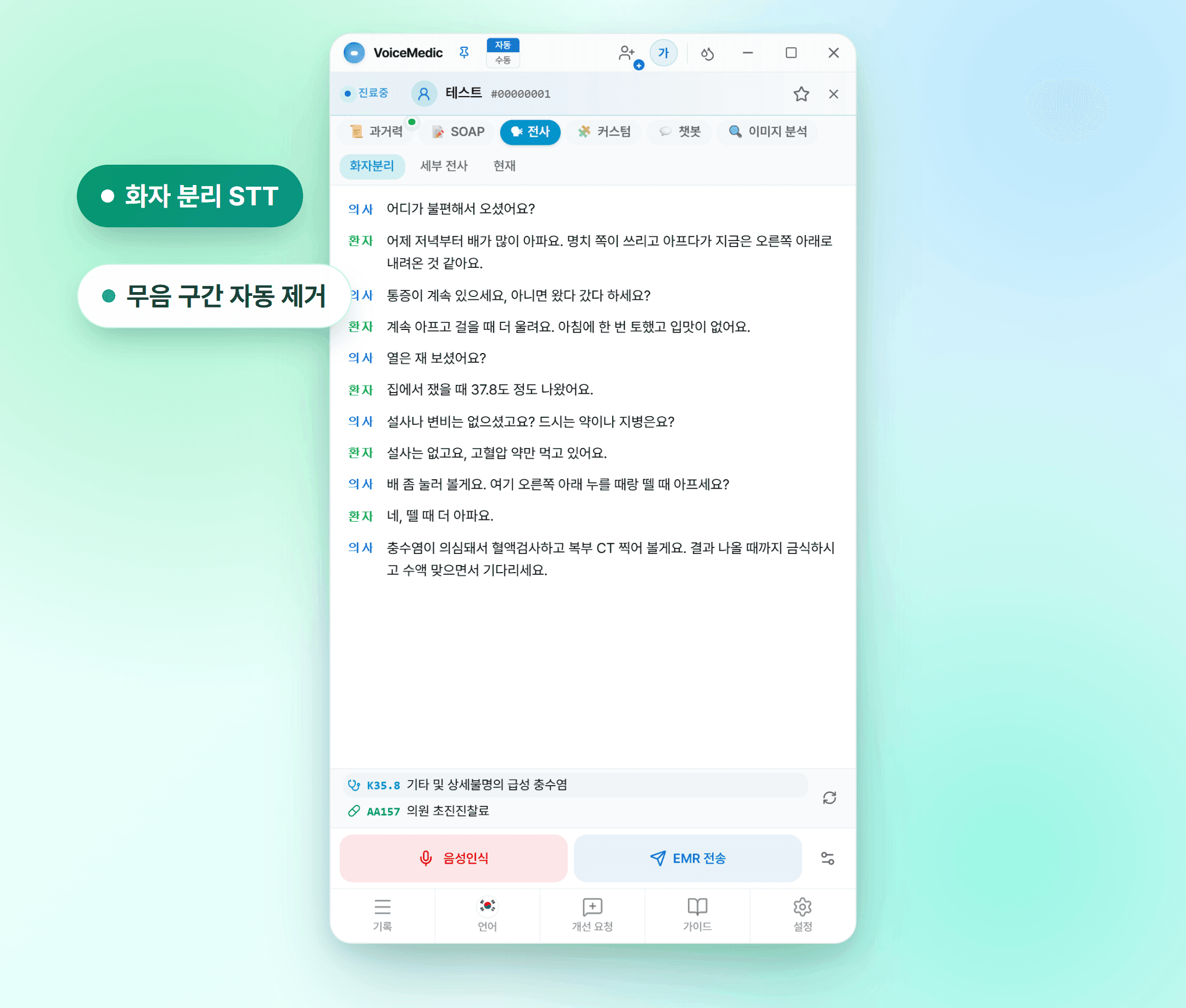
Speaker-diarized STT
The speech engine separates doctor and patient speech in real time during the visit. It filters out silence automatically and distinguishes each speaker precisely to raise SOAP mapping accuracy.
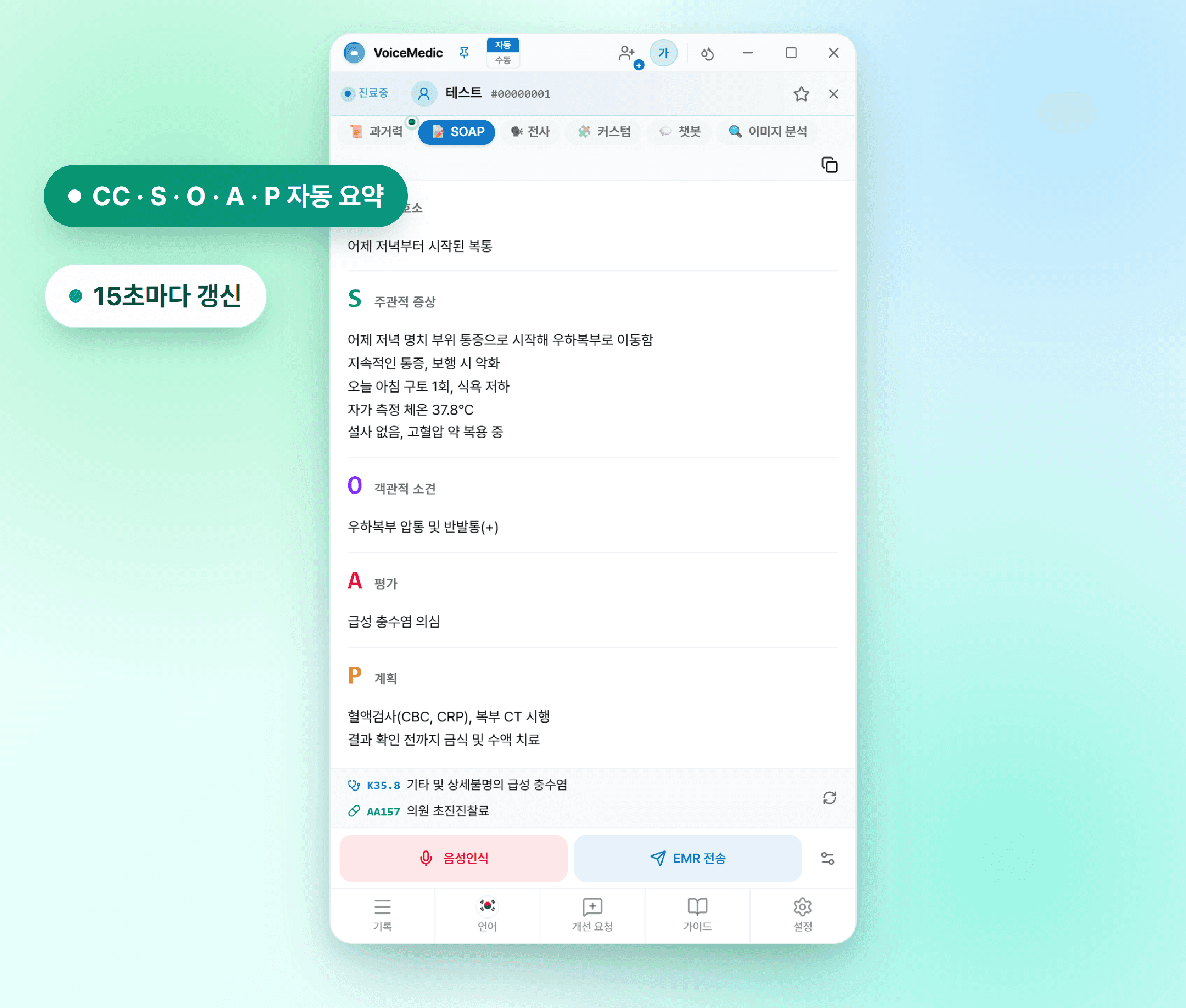
Automatic SOAP Notes
Medical AI analyzes the consultation and completes a standard record from CC through S·O·A·P. Per-section detail levels (0–5 plus My) and per-doctor custom prompts match the style you want.
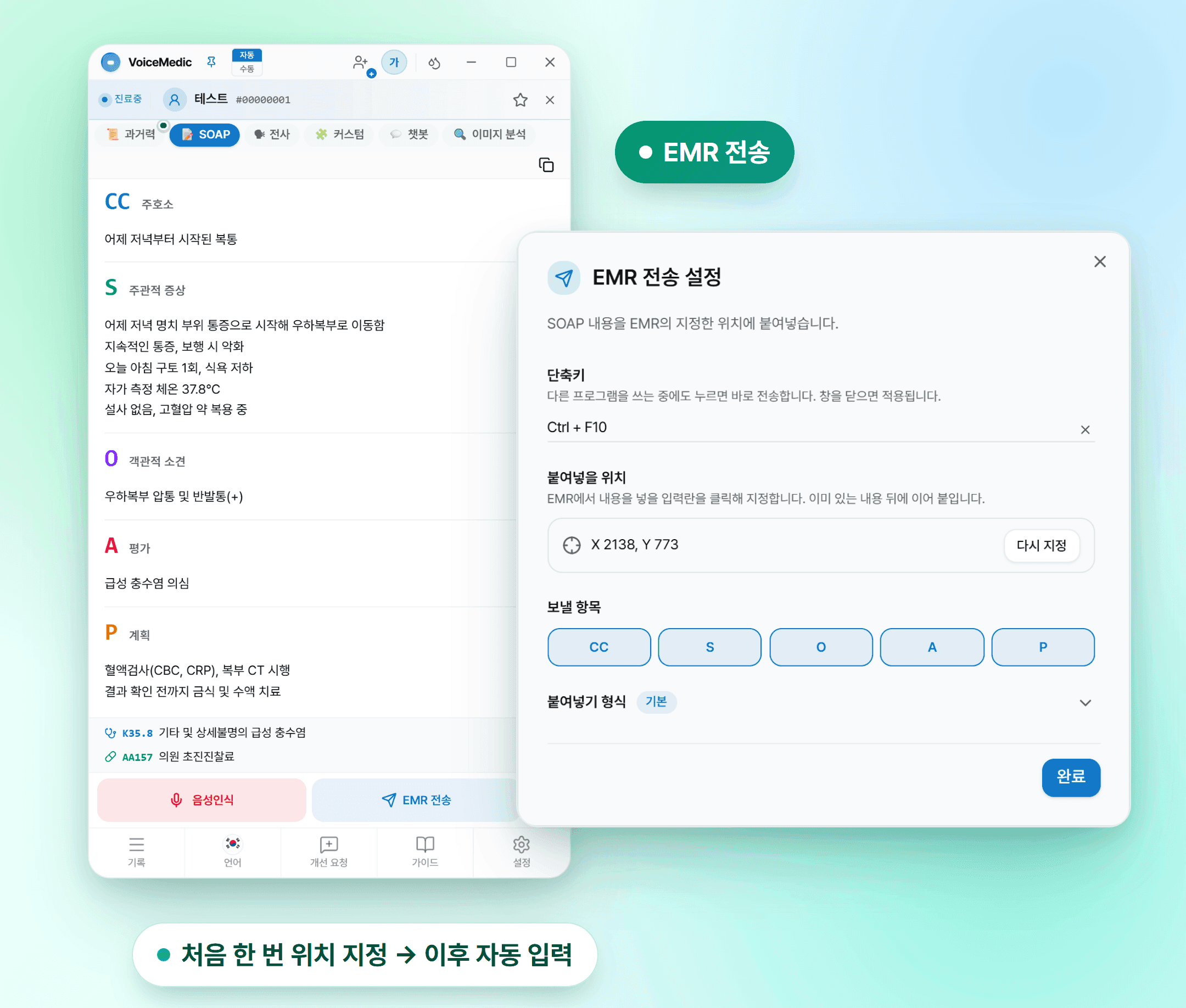
EMR Send
Set the EMR input position once, and from then on paste the SOAP note with one click or a shortcut. Choose a paste format — default, “CC: content”, or your hospital's own template — and during a visit it saves automatically too.
Diagnosis & Fee Code Suggestions
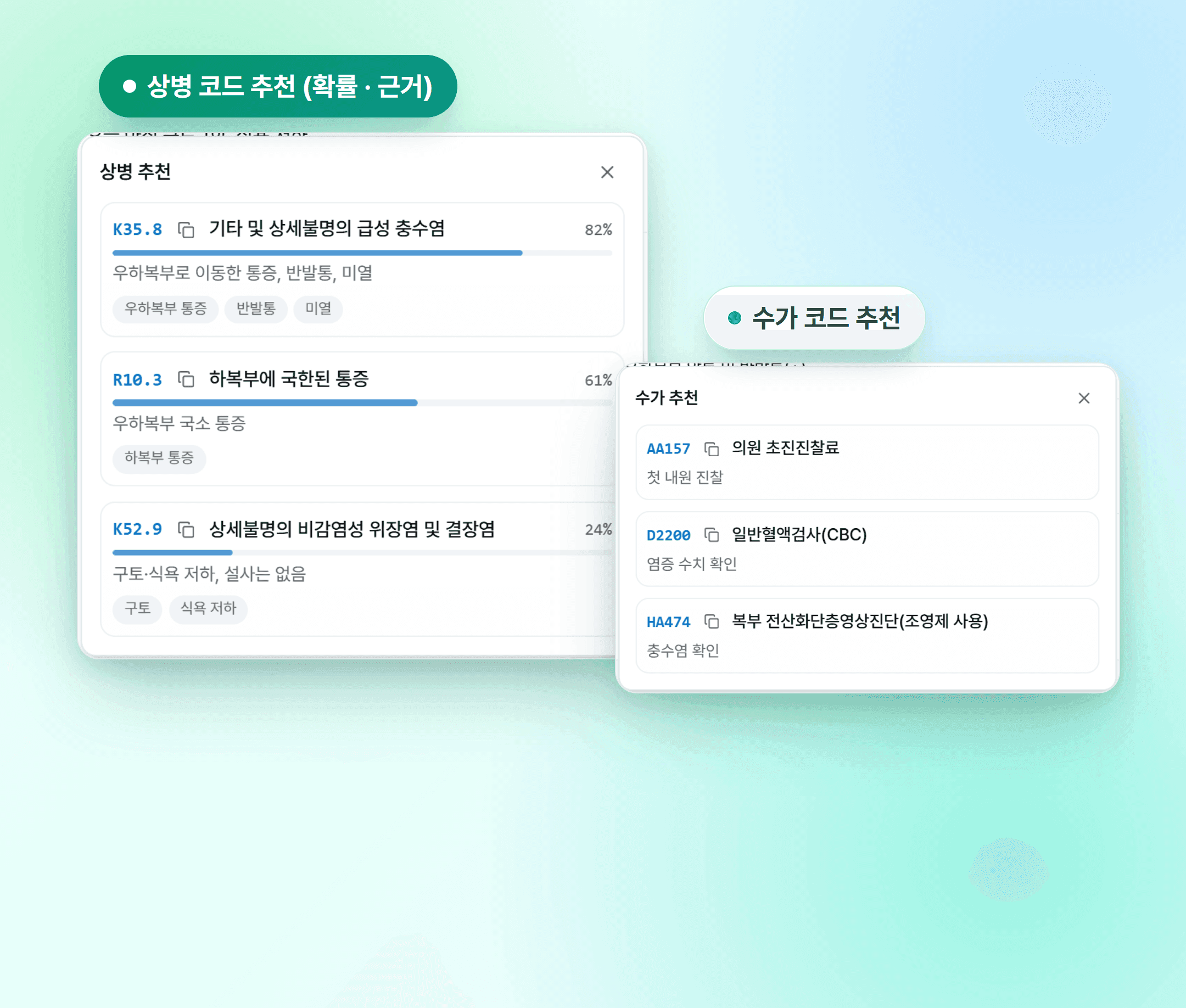
Suggests diagnosis (KCD) and fee codes from the consultation, with likelihood and reasons. A dedicated model running on your PC computes diagnosis suggestions quickly, and tapping an item shows the detailed reasoning.
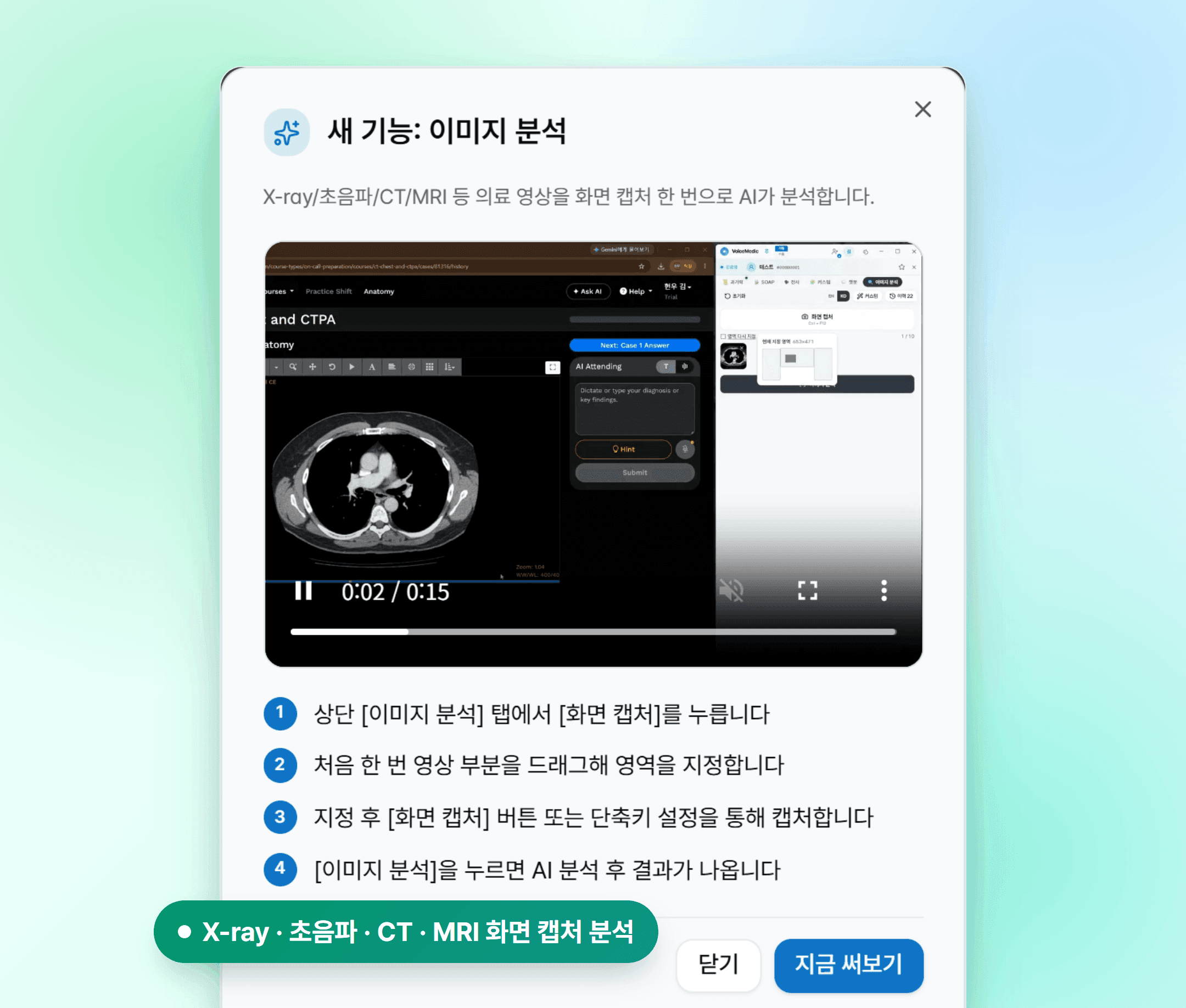
Medical Image Analysis
Capture the X-ray, ultrasound, CT or MRI shown in your PACS once and AI analyzes it, organizing teleradiology need, differentials, findings and recommended actions — up to 10 images at a time.
※ For reference to assist reading only; it does not replace a clinician's diagnosis.
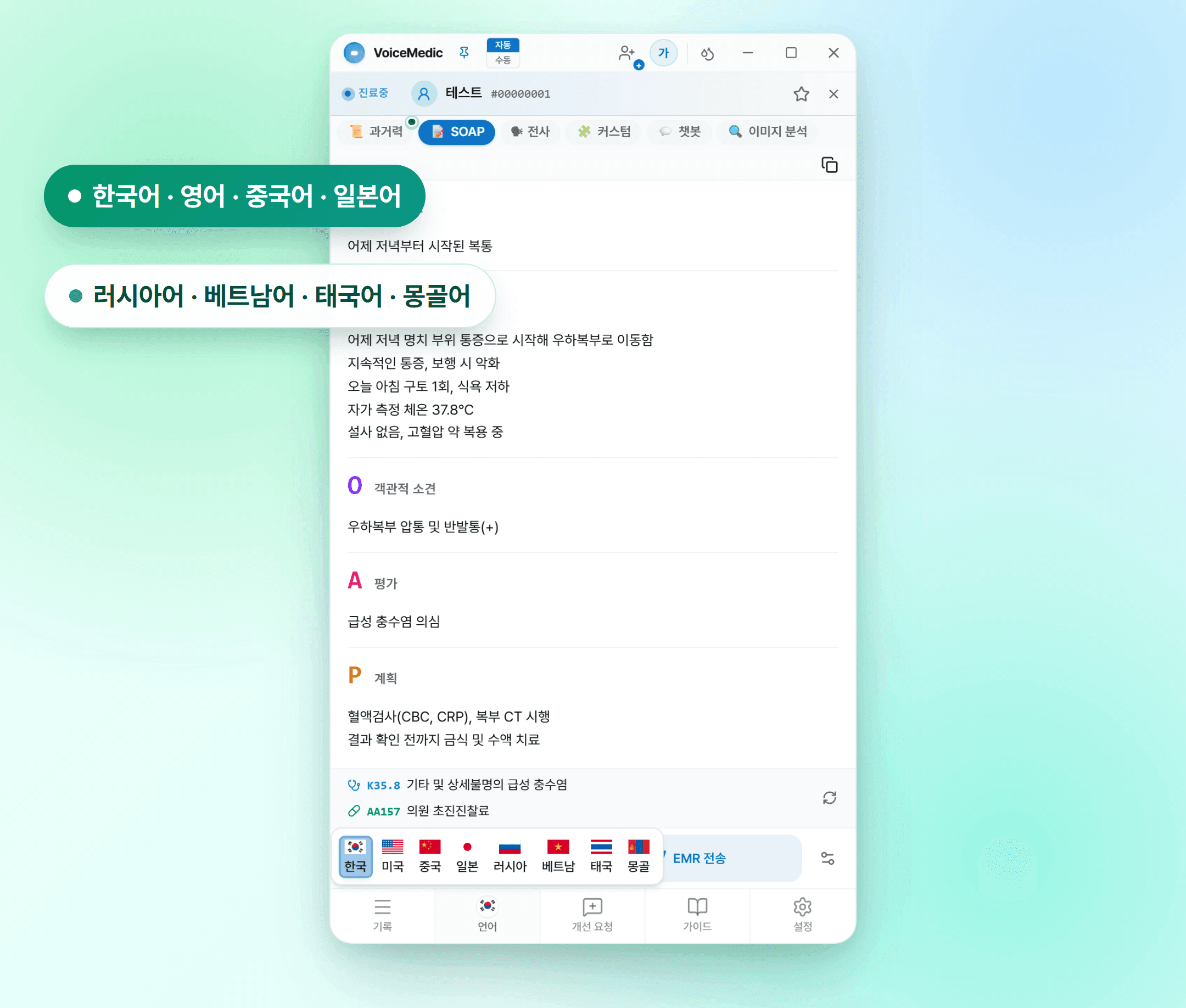
Real-time Support for 8 Languages
Supports 8 languages — Korean, English, Chinese, Japanese, Russian, Vietnamese, Thai and Mongolian. With foreign patients it recognizes and translates in real time, completing records without language barriers.
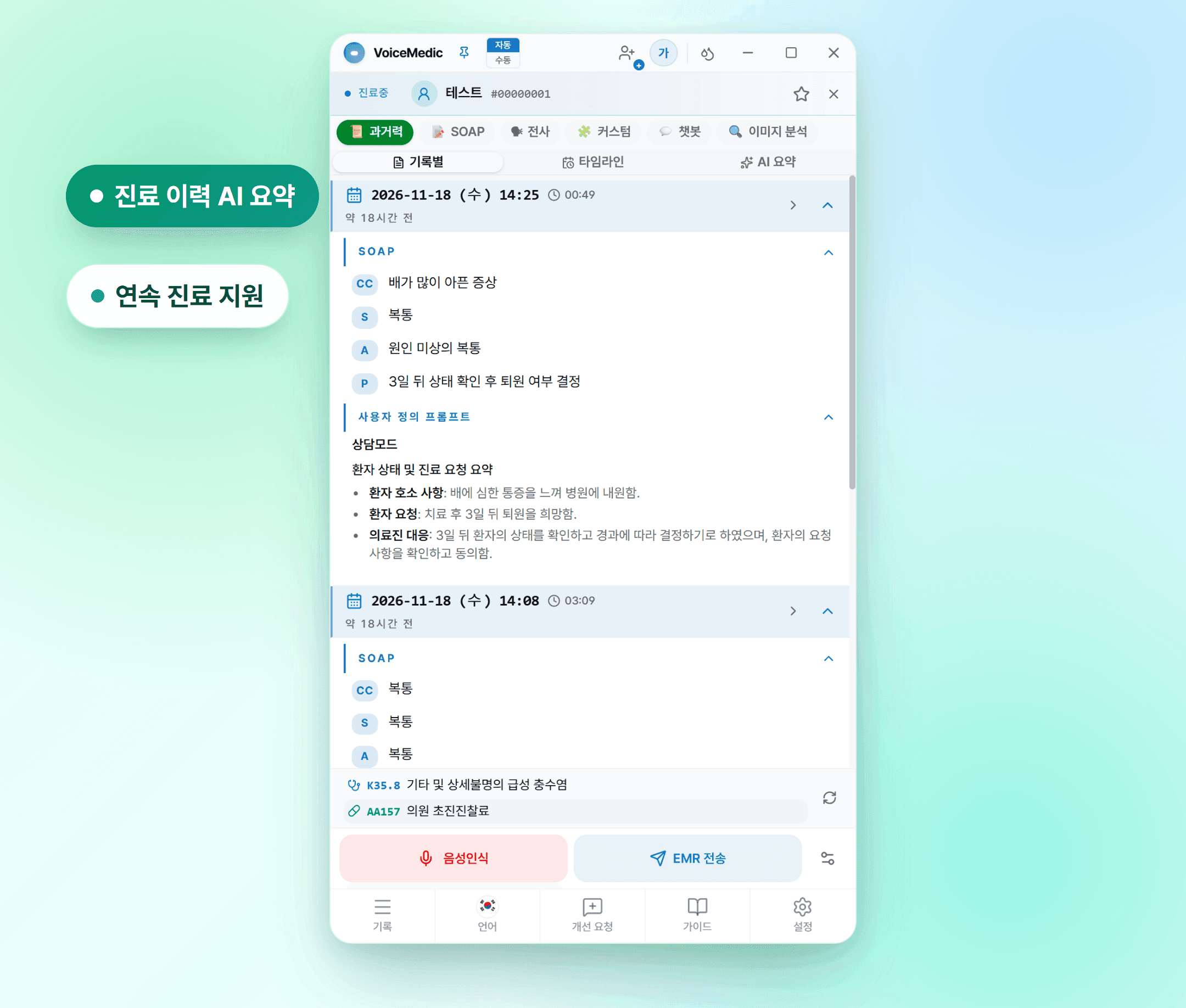
AI Visit History Summary
Review a patient's past records by visit and on a timeline, and AI summarizes recent visits at once. Quickly grasp previous visits and prescriptions for continuous, accurate care.
Two platforms for every hospital
Choose the instant-start web app or the fully automated desktop app .
web app
Start nowmedic.clickcns.com
Use it today without installing — just log in
- Start in the browser — no installation
- Same experience on any PC or site
- Always the latest version, no updates
- Optimized for online use
desktop app
Full EMR automationWindows install · auto updates
Sensitive data in your internal DB — minimal leak risk
- EMR integration with our technology
- Automatic chart number recognition
- One shortcut enters the chart
- Sensitive data stays in your internal DB (no patient data leaves)
Which platform suits your hospital?
Clinics that want to start quickly
Just log in and start today — no installation or IT staff needed.
Hospitals needing full EMR automation
From chart-number recognition to direct EMR entry — fully automated, hands-free.
Hospitals with strict security rules
Login needs the internet, but sensitive data (e.g. patient info) is stored only in your designated internal database.
Where Voice Medic helps most: specialties
Especially effective where symptom descriptions are long or repetitive.
Keep eye contact and focus on the patient.
Works for every specialty
These are where Voice Medic shines most, but speech-to-text improves efficiency in every medical field. Customization for your practice delivers the greatest impact.
Bring it to our hospitalWith Voice Medic, here's what changes
The real difference Voice Medic makes in clinics.
30~40%
Less charting time
From 5–10 minutes to 2–3 minutes per visit — up to 2+ hours saved a day at 30 patients.
8 languages
Zero language barrier
Accurate records with foreign patients, no interpreter needed. Korean, English, Chinese, Japanese and more.
No changes
No EMR replacement
Keep your EMR and simply add AI chart entry.
2 ways
Choose how to use it
Start instantly with the web app, or set up fully automated EMR integration with the desktop app.
Compared with other solutions, what is different?
A fundamentally different technology stack from simple record-and-summarize tools.
Understands conversation flow
Grasps the natural context of the consultation to improve accuracy.
Context-optimized documentation
Applies the right documentation style for each situation.
Flexible integration
Built to connect easily with many environments and systems.
Custom settings
Many options tailored to specialties and hospital environments.
Continuous quality
We monitor and improve service quality continuously.
Always up to date
Always running the latest features and security.
Frequently asked questions
Questions before getting started?
Do I need to replace my EMR?
No. Using our own technology and screen capture, you can use Voice Medic while keeping your current EMR.
How long does setup take?
The web app can start the same day; desktop setup and EMR integration usually take 1–2 days.
How is patient data secured?
The desktop app runs on the hospital network, so data does not leave it. An internet connection is needed only for login and user settings.
Ready to transform your clinic?
Try it yourself with a free demo.
Our dedicated team supports you from inquiry to deployment.